
April 14, 2016. That is the date of my earliest Onenote page. It is the day that I switched over from Scrivner–which I had used for about 6 months–to Onenote. So let’s take a look at Onenote. I’ll talk about why I use it and how.
There are a lot of ways to keep track of your RPG games. People use notebooks and paper, various gaming apps, both online and not, VTTs, and various note taking apps. I’ve used a few of them throughout my time gaming and the two that I keep coming back to are my paper journal and Onenote.
Why not paper?
If I was forced to decide which I liked better, paper or Onenote, I would select Onenote. There are two reasons. First, my handwriting is horrible. For me to write in a way that I can read later I have to write so much more slowly than my thoughts that I lose the thread quickly. And if I write the speed of my thoughts, then I can’t read it later. Second, Onenote allows me to create an organizational structure which allows me to find things very easily, even after 9 years.
To be clear, this post isn’t why you should use Onenote. Instead, I’m going to share how I use Onenote. I also must confess that I recently went through my Onenote and did some major cleaning and reorganization, so please note that it is particularly organized right now and as the weeks go on I will get lazier and busier and the clean organizational structure will start to melt down.
Before I get too much into how I use Onenote I have a couple more caveats. First, I use the free version. So there are features which I don’t have and I believe it will stop getting support sometime next year. Second, I use it on both my MacBook Air and my Windows desktop and it stays up-to-date between the two.
Organizational Structure
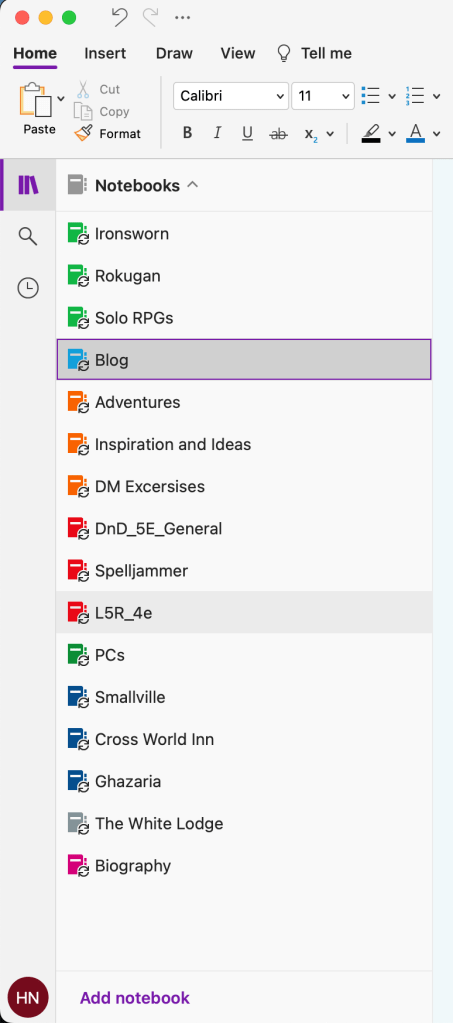
The highest organizational structure of Onenote is the Notebooks. I color coordinate my notebooks so things which are similar in nature have the same colors. For instance, I have all of my solo RPG notebooks colored Apple Green. I take this color structure one step further by changing the color of the pages within those notebooks to match the color of the notebook. For example, all of the pages in my Ironsworn notebook, which is Apple Green, are also Apple Green. Organizing my notebooks this way makes it easy and quick for me to find something that I’m looking for. Also it reminds where I am when I see the color of the paper.
Within each notebook you can have sections or section groups. For my Ironsworn notebook, I have the characters I’m playing and general reminders and templates as the sections. Then for each rule concept or lore area I create a section group. For example, I have Crew Swithins as a section with his character sheet, sessions, and other notes as the pages in those sections. If you have something with a lot of parts and subparts to it you can create section groups within section groups. This allows you to have a tidy organizational structure which is logical to you and easy to follow.
I also have character sheets directly added to a page and set as the background, which allows me to have it all in Onenote and make changes as needed. Onenote not only allows you to type but you can write/draw, as you can see below. Another related feature which I use when I’m out and about and need to make a quick note is the audio recording. I can record a note to myself which I can then use to remind me when I get home.

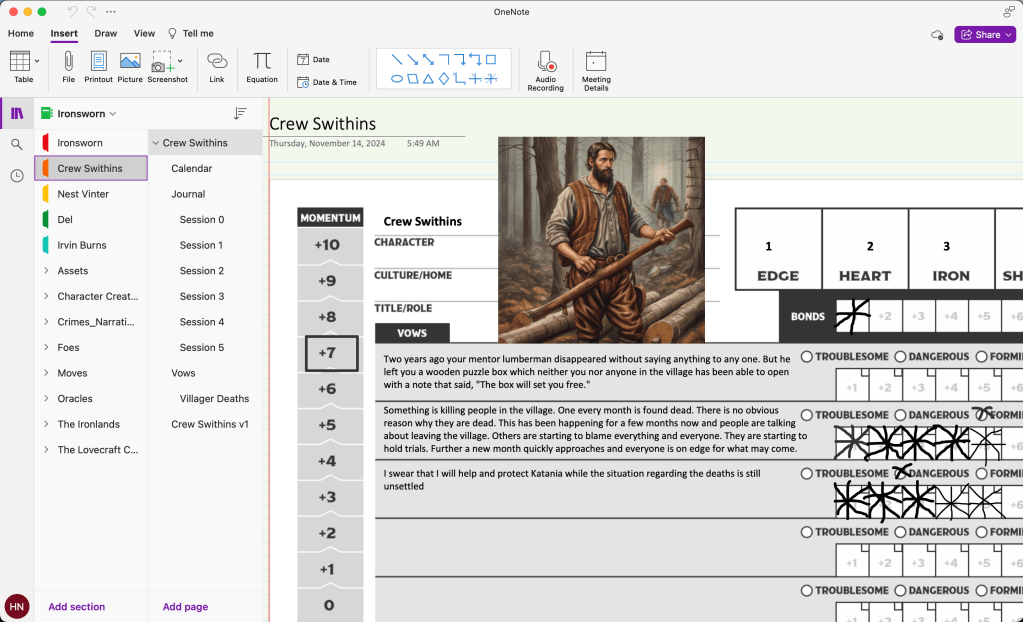
When there is something that I use often, moves, assets, NPCs, I make a new page in the corresponding section group. Sometimes I type them out and other times I take a screenshot and add that. Then I can link to that page within Onenote and grab the information whenever I need. You can link from any notebook to any other notebook very easily. I use a lot of links. If I’m referencing an NPC I link to their page, if I’m noting a rule, I link to that page.
I have tried in the past to note the sources at the bottom of the page. And for some notebooks, I’ve been really good about that and for others, not so much. I would recommend that when you pull a random table from somewhere that you at least note what book it is from so you can find it again, if needed.
Immersion
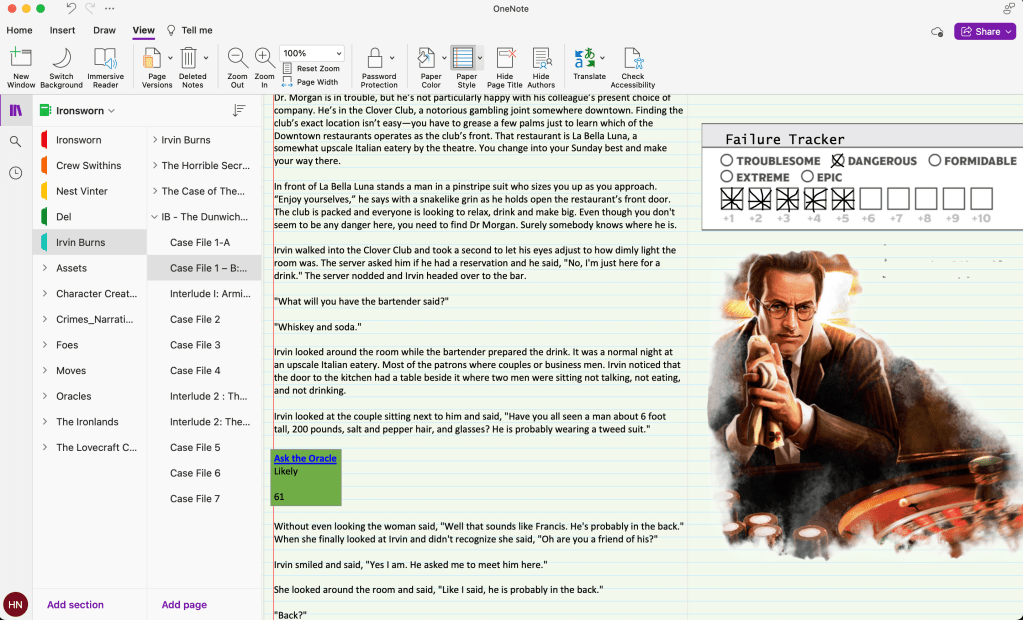
The other thing that I do with Onenote is include art, maps, and various trackers to help with the immersion and record keeping of the game. You can also see in this picture how I handle moves when playing Eldersworn. Notice that the move has a link which takes you a page with the rules for that move on it.
Lore Library
Finally, using Onenote for so long I’ve been able to really develop some worlds and lore. I have everything related to RPGs in one spot and can link it all together. A religion I created for a game 8+ years ago, continues to grow and develop because it is all right in Onenote. Random ideas that I wrote down or links I saved years ago, are easily refound and can be incorporated in my new games, even after I forgot that they were there. For example, the other day I wanted to take an old concept of mine and update for use in a new game. I knew that it was talked about in various locations, so I did a search of all of my notebooks, grabbed all the pages that talked about that concept and put them together into a new page which I can work with. It was super easy and handy to have everything in one location.
Other Features
There are also a number of features that I don’t use or have used in very limited ways. It has built-in dictation and allows you to record audio directly into it (I believe I mentioned that above). It allows you to draw right on the page, which as I showed above is great for character sheets. And math. I’ve only used it to do simple math, I can write out 8+64= and once I hit enter it does the math for me, which has been great with DMing and I need to do quick math. Further, it has a feature which allows you to write out long form equations, not so useful for most RPGs, but good for math notes.
Limitations & Concerns
Obviously, I’m a Onenote fan boy. And I believe that a big chunk of that is because I’ve been using it for so long. And of course, there are some limitations and concerns which I have. First, I envy people who make really beautiful handwritten journals with drawings for their games. If my handwriting was better and my drawing skills a little bit better I would probably choose to use paper journals for my games. Having a physical artifact that you can hold on to and show other people, is a form of artistic expression that Onenote just can’t compare with.
Second, is record keeping. I do spend a fair amount of time organizing or reorganizing my pages. It takes time to create links, especially to other notebooks. It takes time to flip between a journal entry, a rule, and the character sheet. Sometimes I think about using a paper character sheet and changing my Onenote at the end of each session, just to cut down on clicking.
Third, as I mentioned above, I use the free version, which stores things in the cloud. I have backups on my computers but the most recent live versions are online, which doesn’t mean that I have to be online to use Onenote only if I want it to update between devices. Further, I believe the free version won’t be supported after next year, which means that I’m looking at getting a Microsoft Office subscription, which adds up especially when there are other free software out there.
Well, there you have it. We looked at why I use Onenote over paper, my organizational structure, adding pictures and character sheets, how it can be a lore library, and some limitations. Let me know what you think. What does your setup look like? Are you digital or on paper?


 The Library of Wandering Journals
Leave a comment